Managing a project
Depending on your role, you can manage a project from the DAQS project dashboard.
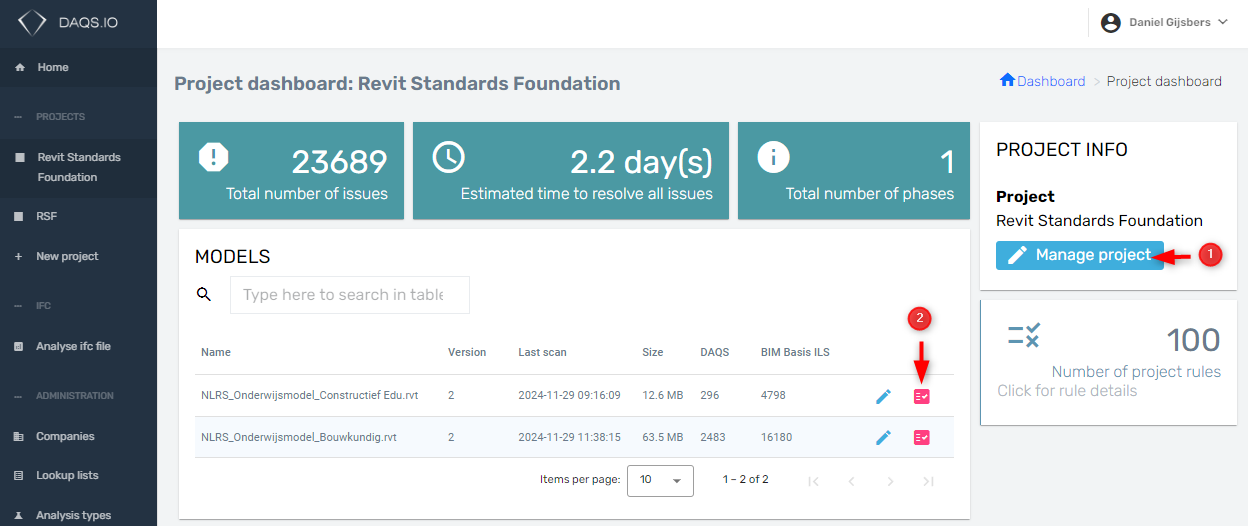
- Click here to manage the project.
- Click here to start a cloud analysis run.
Cloud and local analysis
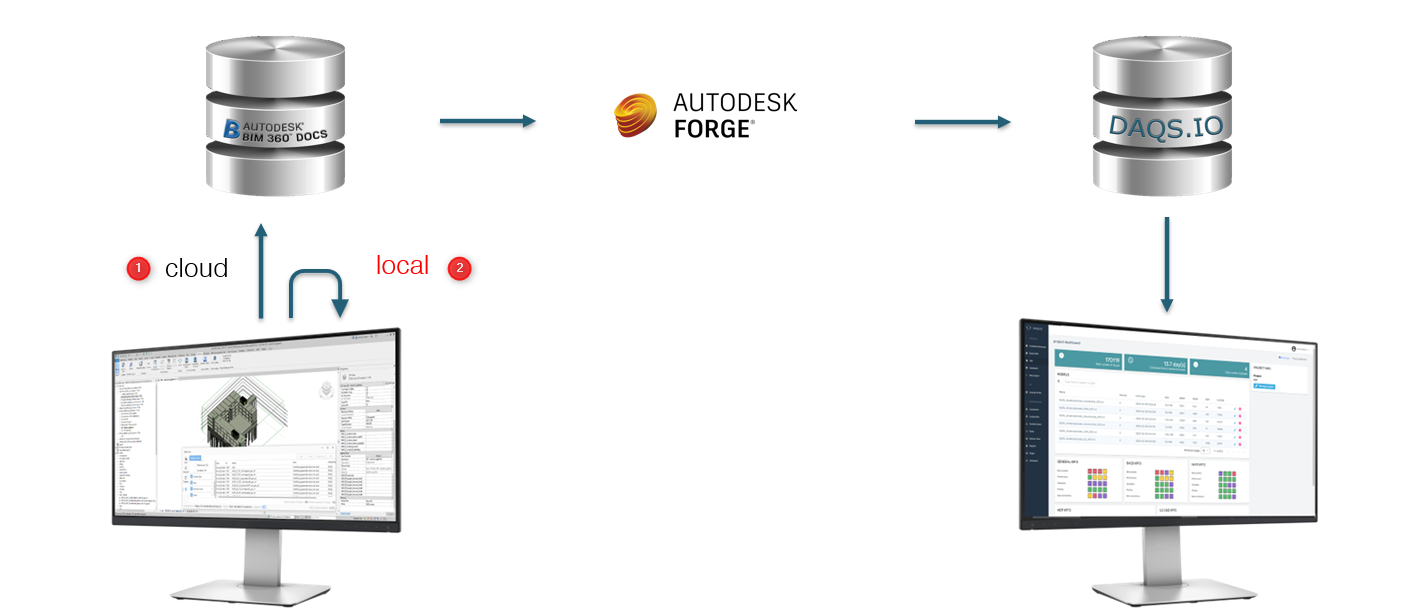
DAQS offers two ways of analysing Revit files.
- Cloud analysis
- Local analysis
These analysis methods are typically used for Revit files at different stages. Cloud analyses are performed on published Revit files on Autodesk Forma. Local analyses are performed by engineers on the models they are currently working on.
Project details
The project management page provides the following options.
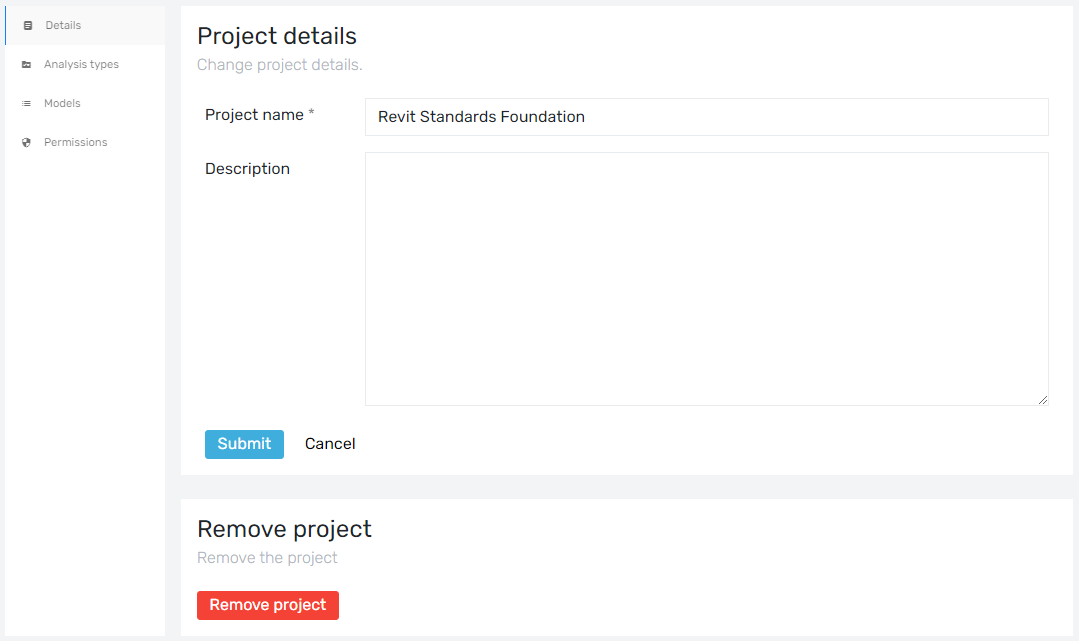 Change the project name and add a description if needed. Click the submit button to save your changes.
Project analysis
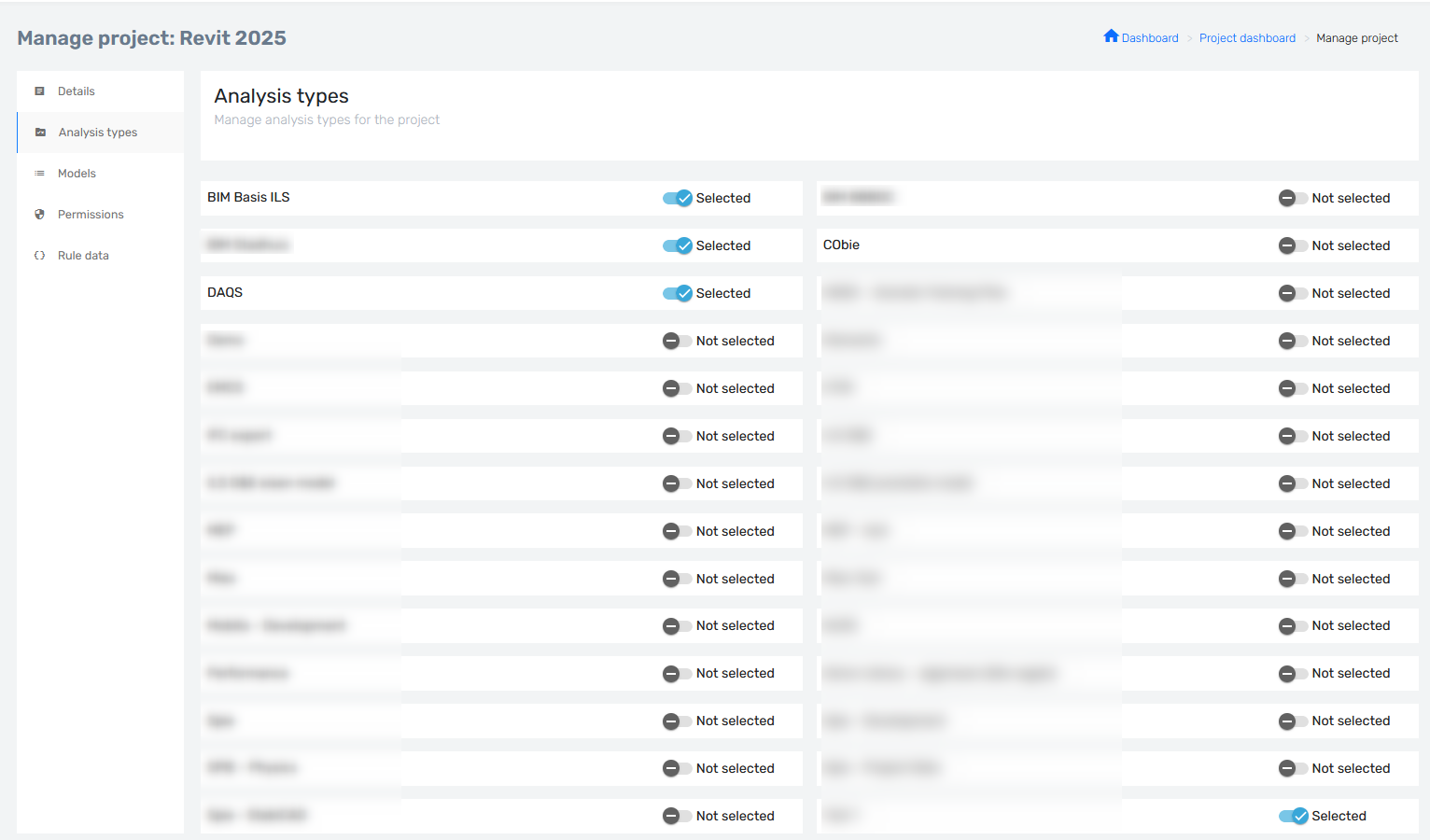
An analysis type is a group of rules that can be applied to a project together. When an analysis type is enabled, all its rules are included in the next analysis run. As the project manager, you select which sets of rules apply to the project. Analysis types can be enabled or disabled during the project. Engineers using the DAQS Assist plugin to analyse local Revit models will see these changes when they start Revit or select 'Reload projects' in DAQS Assist.
Note
Previous analysis results on the dashboard are not updated when an analysis type is enabled. Only future analyses use the changes.
Custom Analysis Types
It is possible for people, with certain permissions, to create custom Analysis Types and add the rules they need for a specific project. See page: Custom Analysis Types
Project models
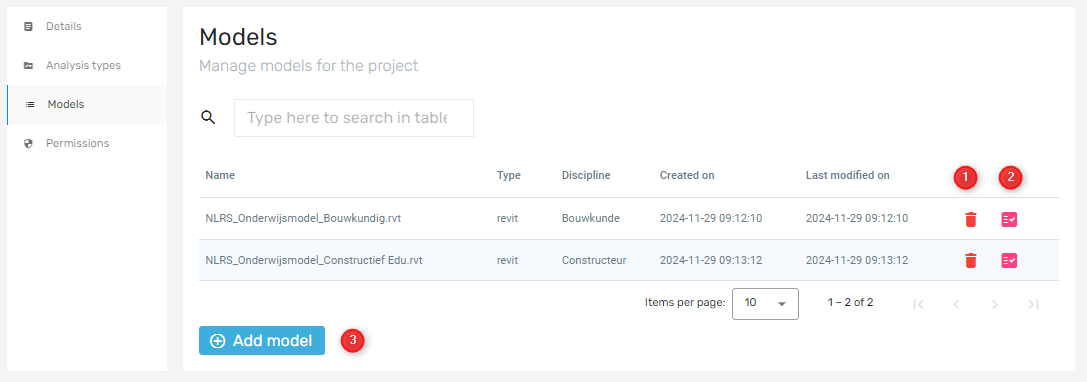
- Remove a model from the project in DAQS only.
- Start an analysis run.
- Add a model to the project.
Project permissions
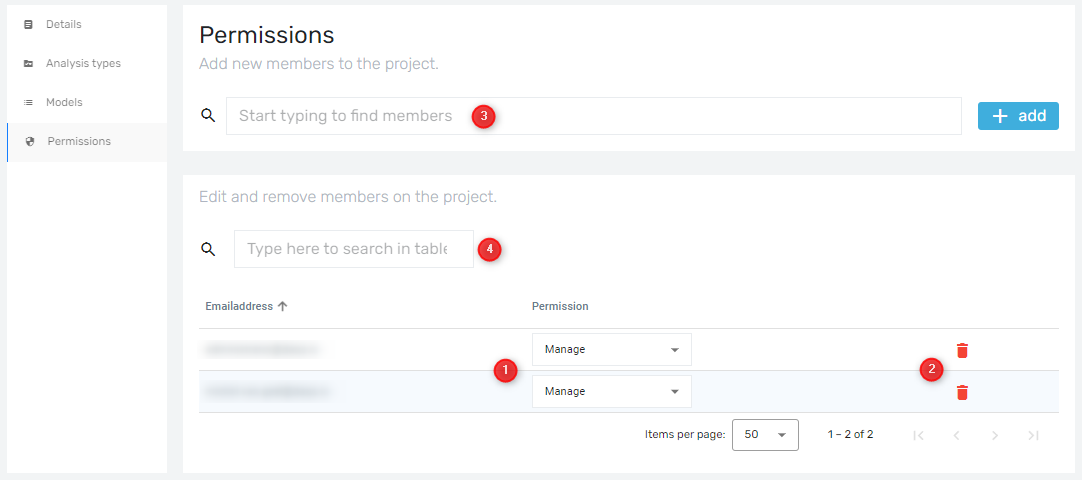
- Choose whether a user has Read or Manage permissions.
- Remove a user from the project.
- Search for a user to add to the project.
- Search the list of project users.
Note
Always keep at least one manager in a project