Create Analysis Type
- If you see this menu item you have sufficient rights to create an Analysis Type.
- Example of a previously created Analysis Type.
- Click here to create a new one.
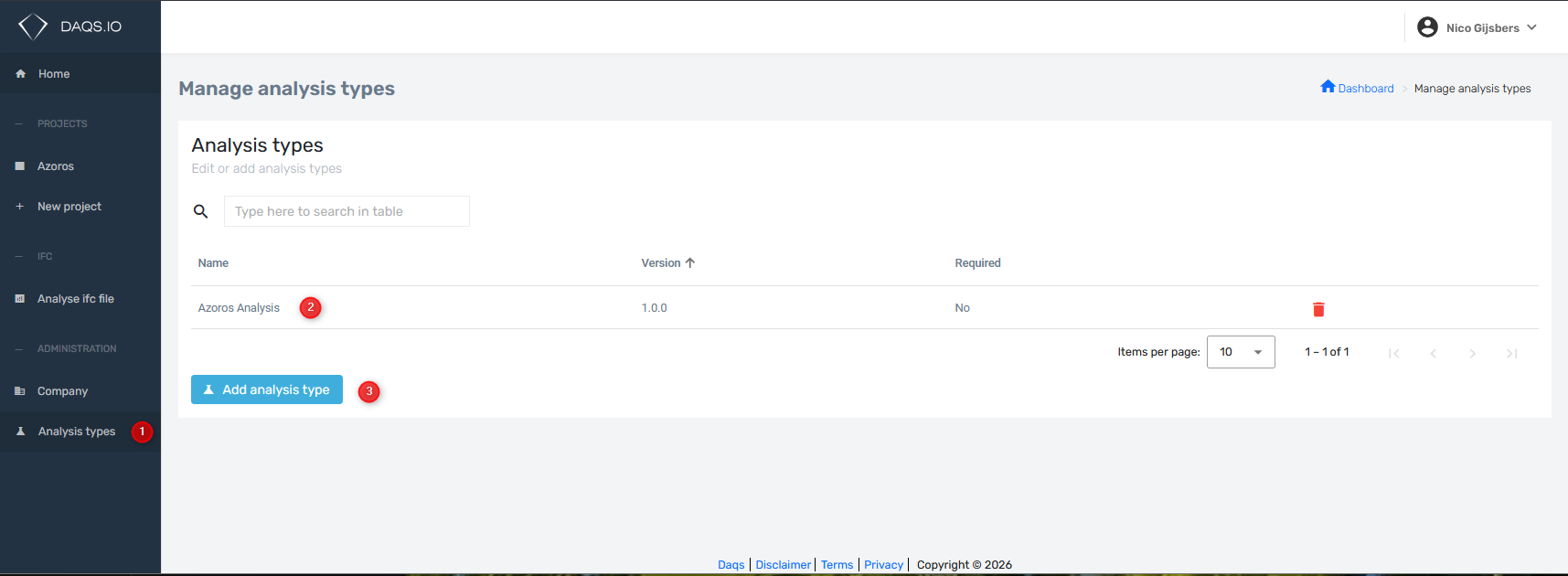
!!! To create an Analysis Type a user requires Company Administrator rights for the DAQS Dashboard
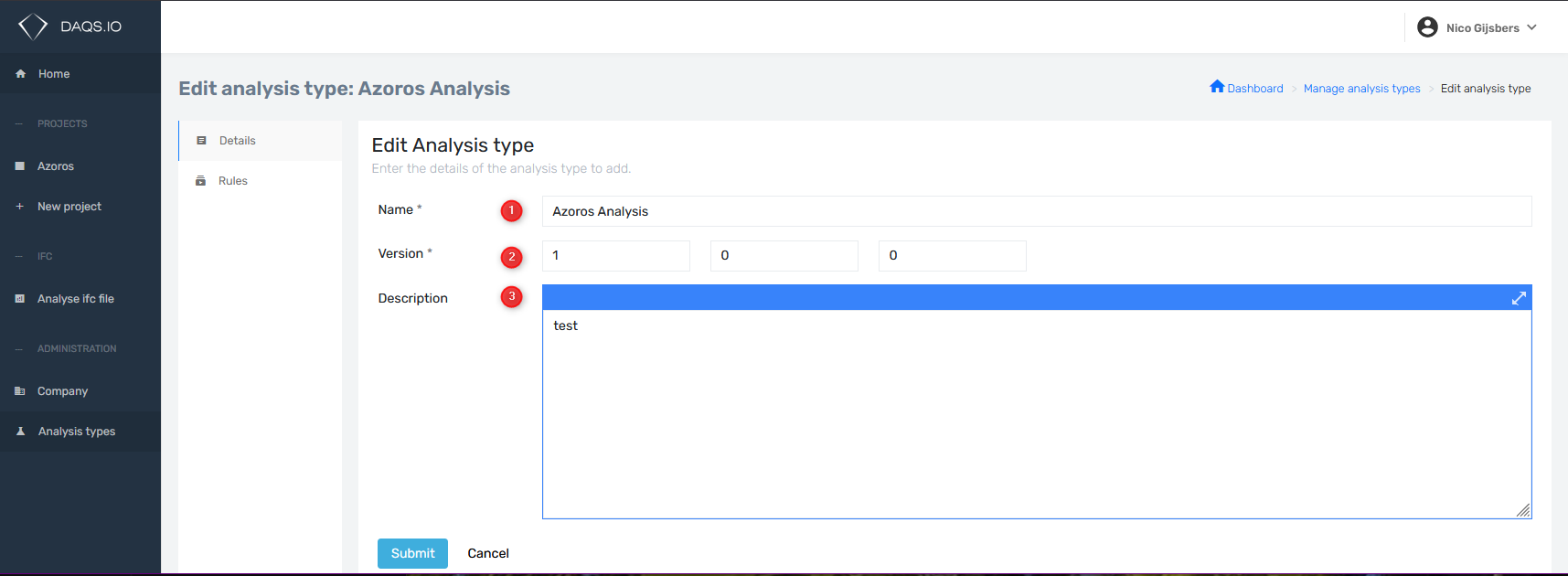
- Give the Analysis Type a name (keep it short for the UI in Revit)
- Version numbers need to be set manually
- Increment the first number by Major dashboard versions updates.
- Increment the second number when rules are added or removed.
- Increment the third number when you change the details.
- Click here to create a new one.
- Go to the details.
- Go to the rules.
- Use the drop down for selecting a rule from the available rules.
- Click on add to add a rule to the current Analysis Type.
- This is a searchbox for finding rules that are already part of the current Analysis Type.
- Remove a rule from the current Analysis Type. (this does NOT delete the rule)
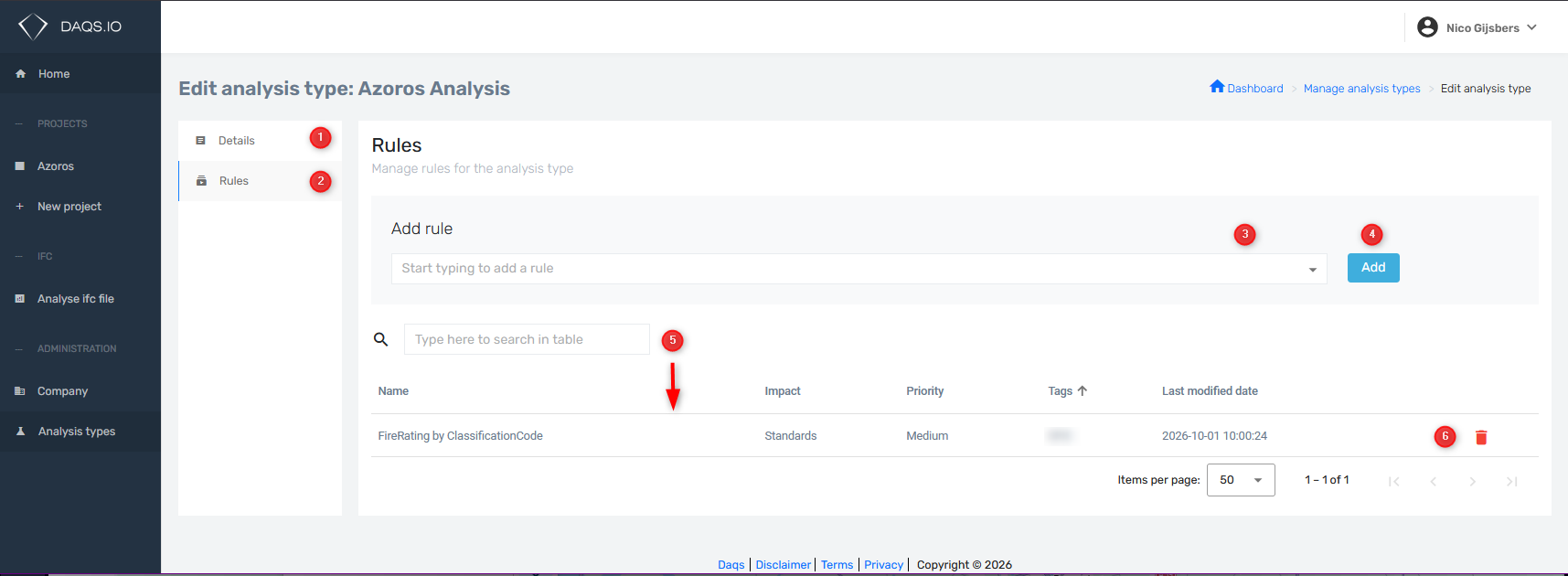
!!! Available rules are all the rules that are owned by DAQS and made available to your company or are company specific rules. When a rule is created or modified there is an option to make it publically available to everyone or to specific companies.
After creating an Analysis Type you have to add this to a project that needs to use this.
- Select the Project
- Manage Project
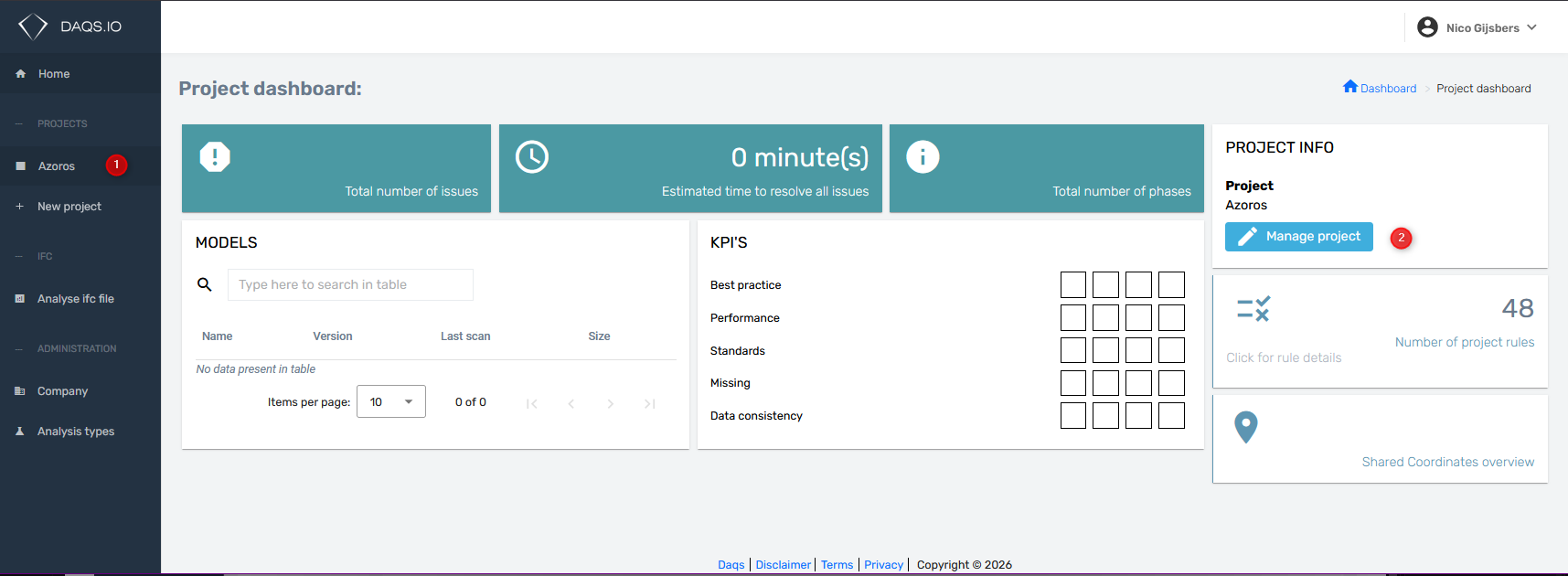
- Go to Analysis Types
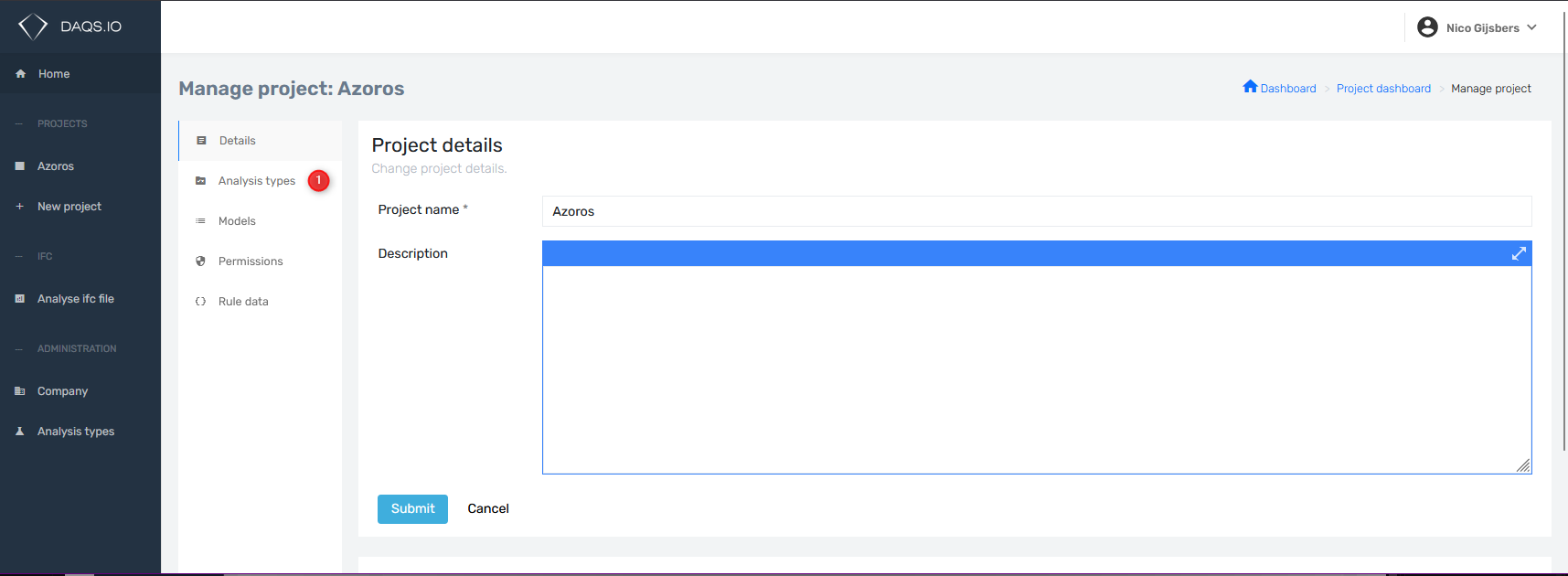
- Turn on or off which Analysis Type you need
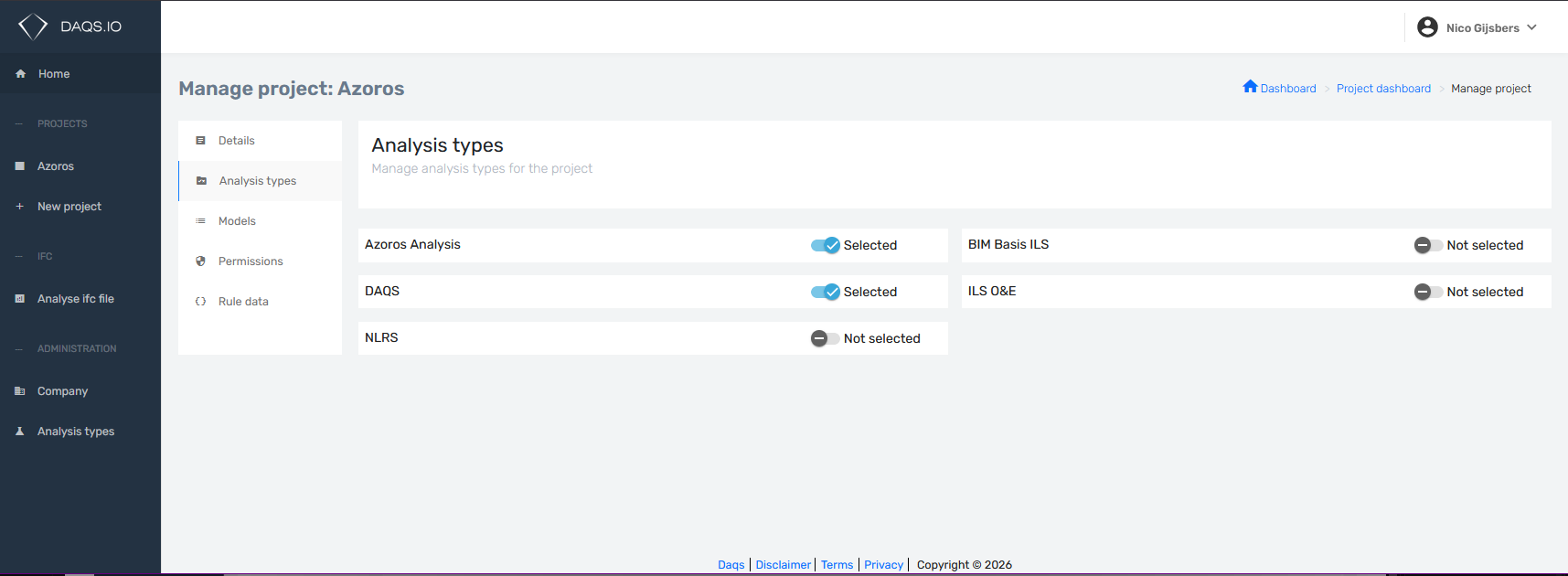
!!! Rules can be part of multiple Analysis Types. For example if a rule is part of DAQS and Azoros Analysis then when an element does not comply to this rule it will be counted twice!
Suggestion for rules and Analysis Types
- Put rules that are always applicable in a company Specific Analysis Type or use a National Standard Analysis Type. For example BIM Basis ILS. (A Dutch Standard)
- If some rules from, a company Specific Analysis Type or use a National Standard Analysis Type, are not applicable consider creating an project specific Analysis Type without that rule and do not turn on the Analysis Type of which this is a duplicate. (To avoid dubble counted issues)